Variation Display Tables
When displaying your variations in a table, we provide a few sample table setups:
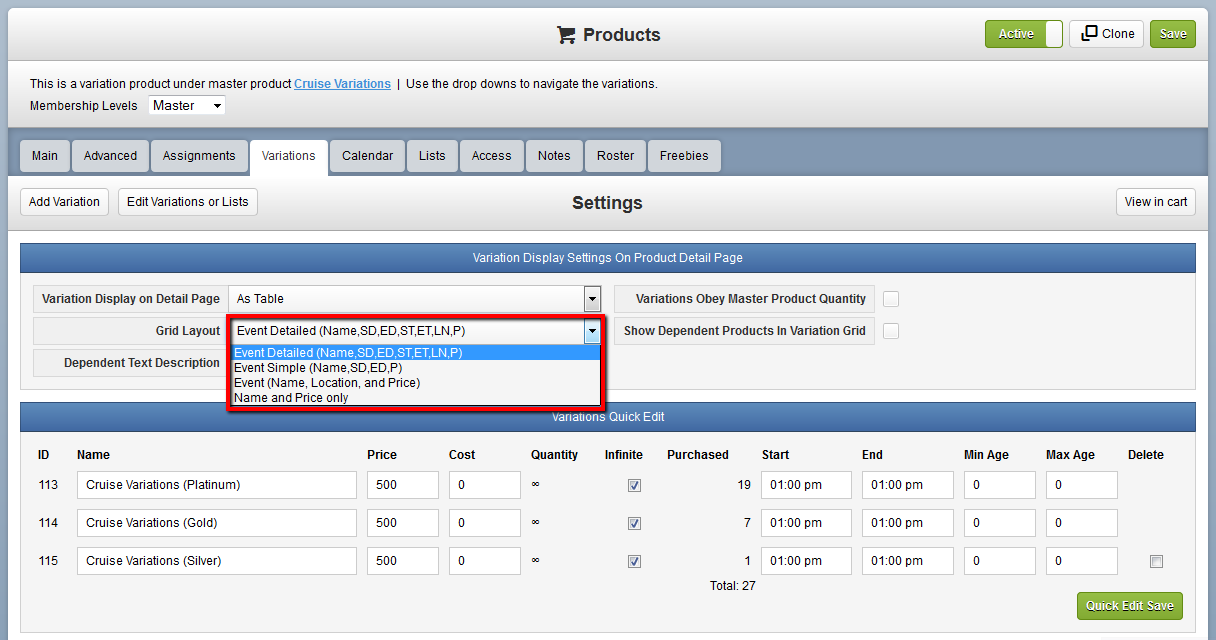
You can edit these grids or create new ones in Settings > Product Display Table Columns:
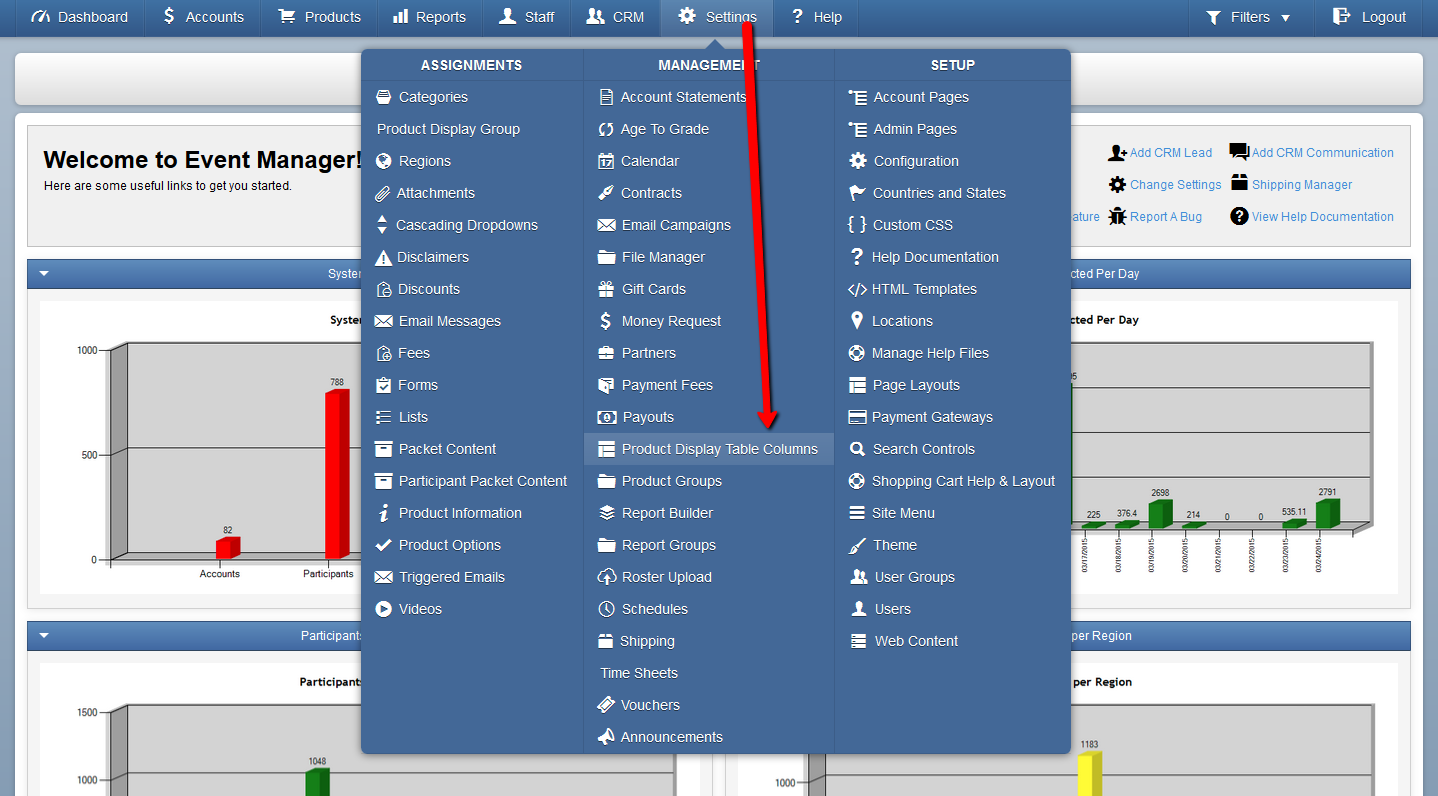
To add a new grid, click Add New Custom Table Column at the top right.
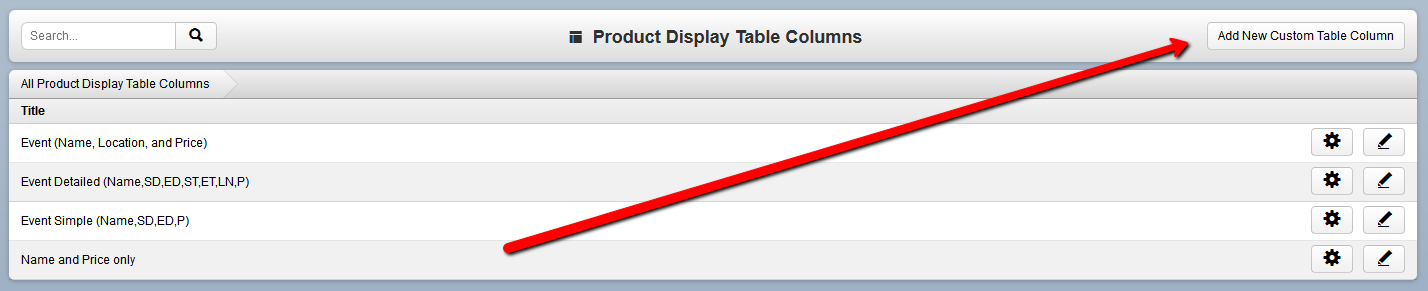
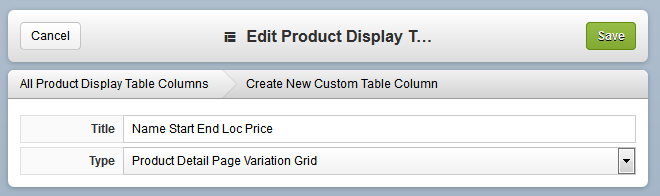
You must then choose a type of grid to create: Product Detail Page Variation Grid is used on Variations; Product Search Page is only used when your shopping cart is in "Product Groups Display" mode - which can be activated by your account representative. Contact Us for more information on Product Groups Display.
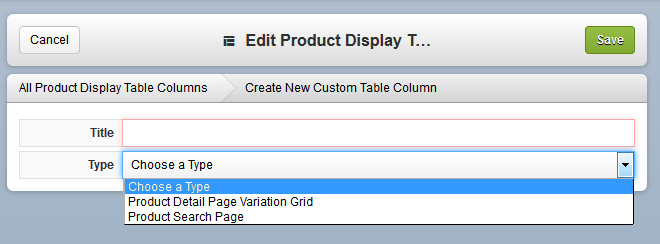
The title should reflect the columns you're going to insert:
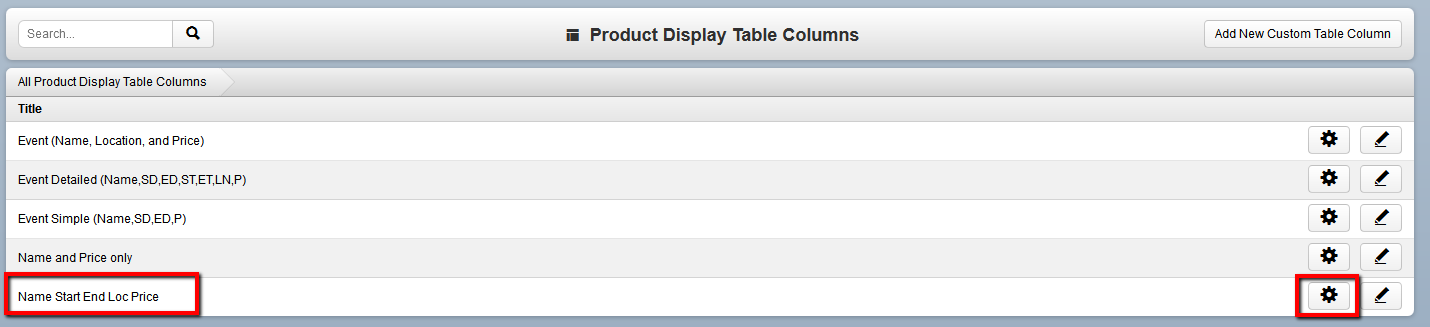
After clicking Save, the new grid will be available in the list of table columns. Click the Edit Items button to add columns to the grid:
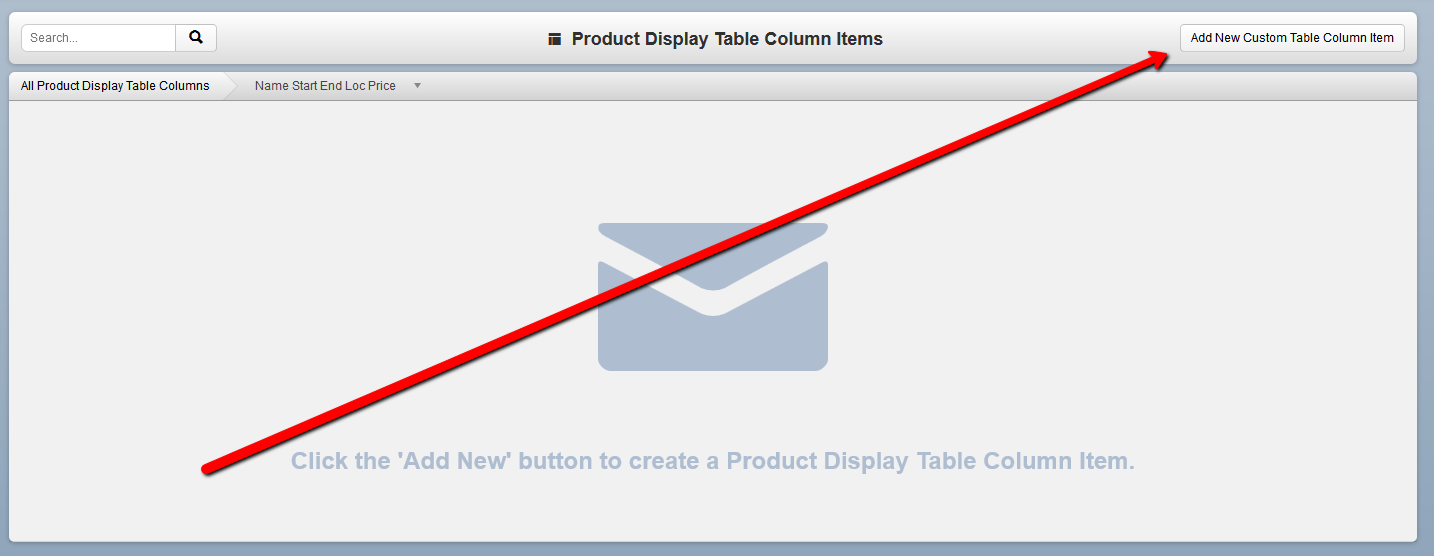
Again, click Add New at the top right to add a new column:
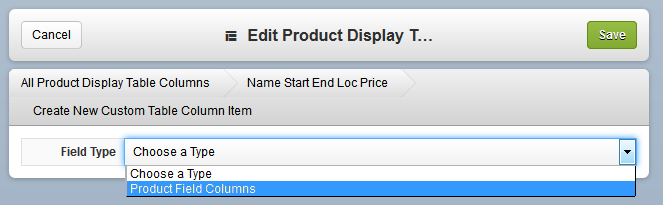
You must first select a Field Type - all Variation Display Table Fields are "Product Field Columns":
After selecting Product Field Columns, the list of Product Fields appears under "Field Name":
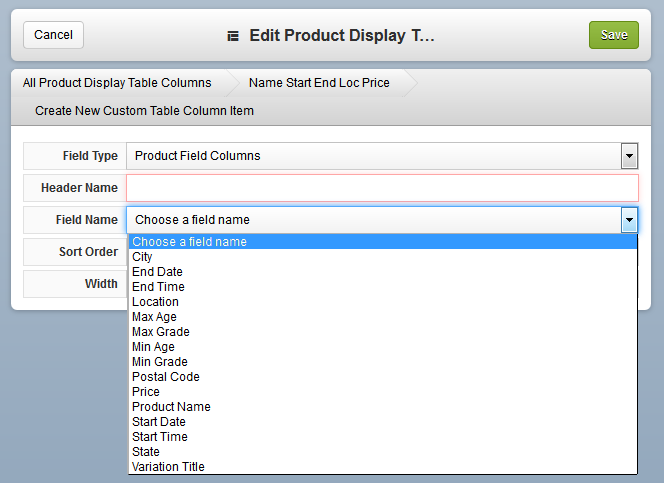
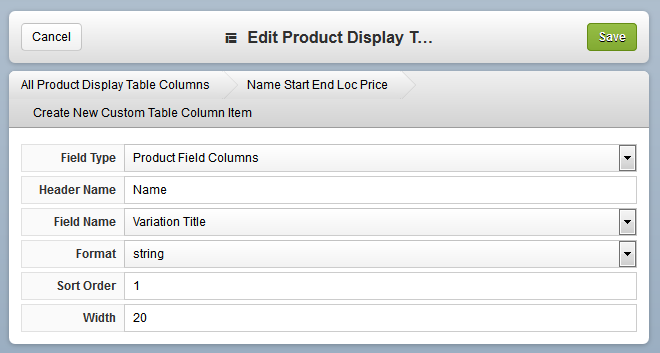
To insert the name of the variation, select "Variation Title". Then insert the Header Name as you would like it to read. Also note the Sort Order to set which column is first/second/third in the grid, and the width portion as a percentage of the whole:
Some field names will have alternate Formats, such as the Start Date:
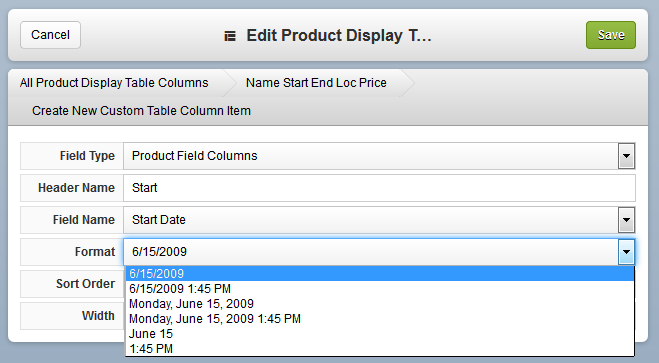
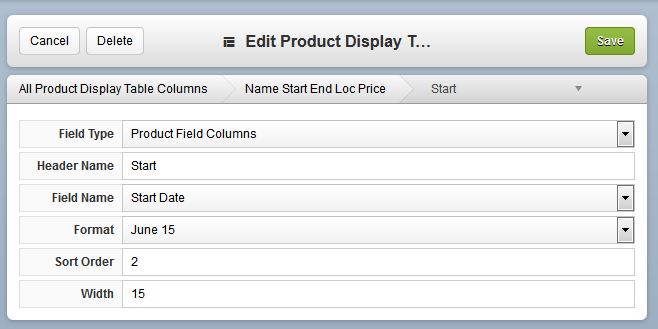
For Instance, you can make the format "[Month] [Day]":
After completing the rest of the columns, the final grid would appear as below:
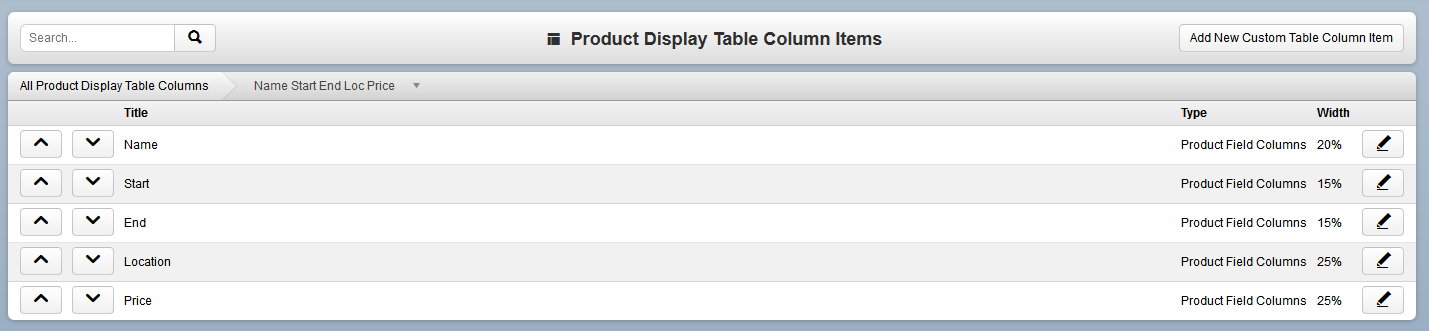
Note that the edit button at the far right allows you to change Sort Order, Width, Header Names, and more at any time.
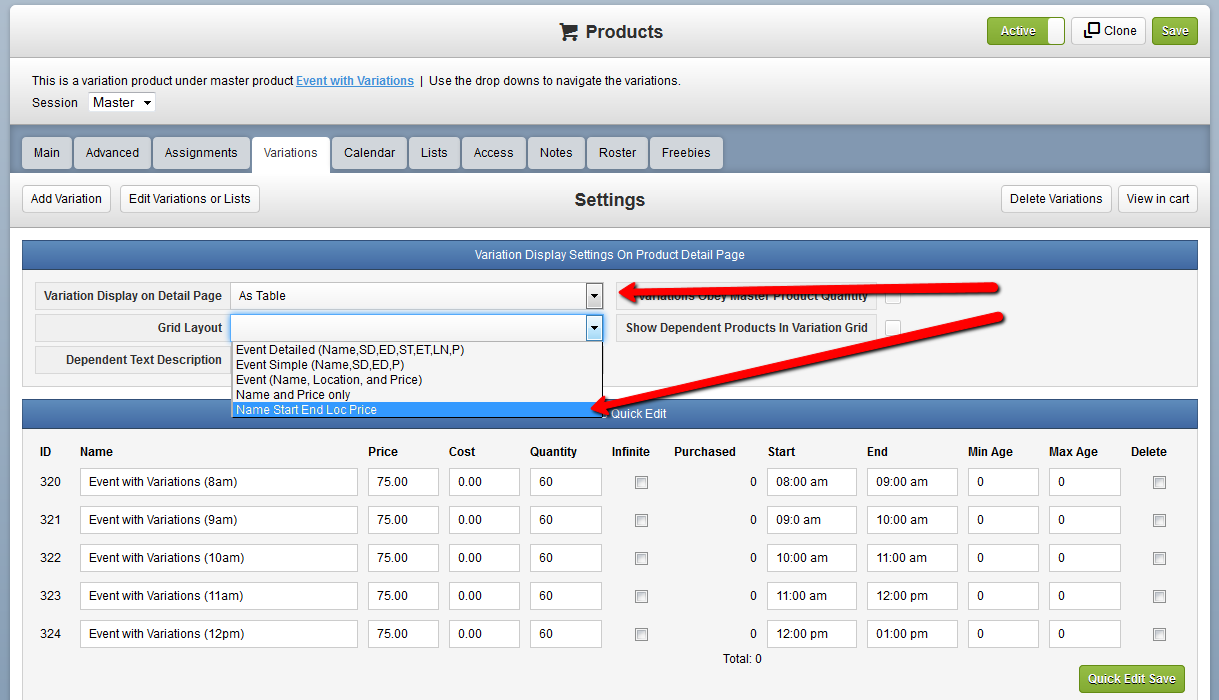
Now return to the variation product you wish to use the new grid on, and see the new grid as an available option:
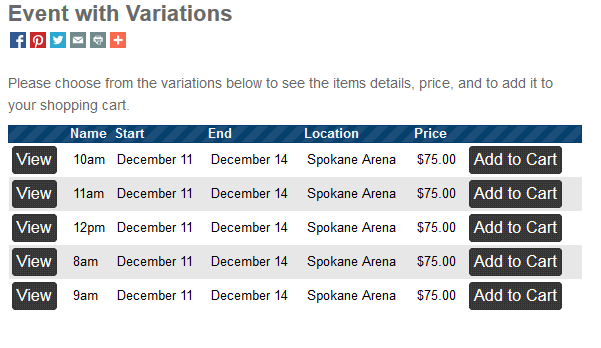
The final result shows as below:
You can edit these grids or create new ones in Settings > Product Display Table Columns:
To add a new grid, click Add New Custom Table Column at the top right.
You must then choose a type of grid to create: Product Detail Page Variation Grid is used on Variations; Product Search Page is only used when your shopping cart is in "Product Groups Display" mode - which can be activated by your account representative. Contact Us for more information on Product Groups Display.
The title should reflect the columns you're going to insert:
After clicking Save, the new grid will be available in the list of table columns. Click the Edit Items button to add columns to the grid:
Again, click Add New at the top right to add a new column:
You must first select a Field Type - all Variation Display Table Fields are "Product Field Columns":
After selecting Product Field Columns, the list of Product Fields appears under "Field Name":
To insert the name of the variation, select "Variation Title". Then insert the Header Name as you would like it to read. Also note the Sort Order to set which column is first/second/third in the grid, and the width portion as a percentage of the whole:
Some field names will have alternate Formats, such as the Start Date:
For Instance, you can make the format "[Month] [Day]":
After completing the rest of the columns, the final grid would appear as below:
Note that the edit button at the far right allows you to change Sort Order, Width, Header Names, and more at any time.
Now return to the variation product you wish to use the new grid on, and see the new grid as an available option:
The final result shows as below:
Related Articles
Dependent Product Display Groups
Introduction Dependent Product Display groups allow you to cleanly organize your Dependent Product offerings into custom defined accordion style displays. This article assumes you have a basic knowledge of assigning Dependent Products; Click here for ...Display Options for Product Descriptions, Information and Maps
Introduction You may have multiple Product Descriptions and Product Information for a single Product. This enables you to intelligently organize your content. For example, on a Merchandise Product, you may wish to display a list of features in one ...Product Variations Tab
The Variations tab is used to create several similar products that all have a common attributes. An example of this would be a product that comes in a range of sizes, and or colors. Example: You want to sell series of water bottles that come in ...Product Variations All Tab
Introduction The All Tab on Product Variations enables you to simultaneously make Product attribute changes to the Master and all of a Product's Variations. For example, if you wanted to update the Online End and the Purchase End Dates on all ...Team Registration
Introduction Team Registration Mode allows a user to register a team of participants for an event. The event can have a price per team, and/or a price per participant. Example: Suzie runs a volleyball camp. She wants to host a volleyball tournament ...