Product Image
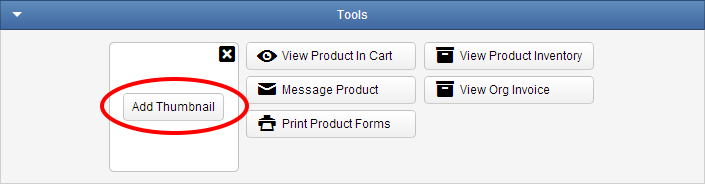
To add a image to your product click the "Add Thumbnail" Button on the Tools Panel under the Main tab. This is the small image that represents your product or event in the Shopping Cart.
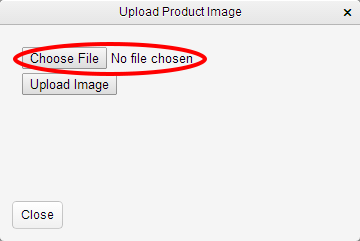
To upload an image, click Upload Image. You'll see a pop-up like this one. Click Browse to choose an image from your computer’s hard drive.
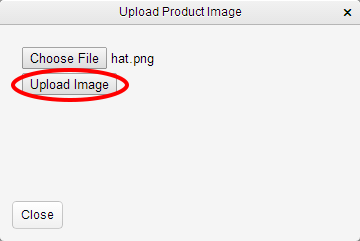
Once you have chosen the image click the Upload Image button, then the Close button.
View in preview window
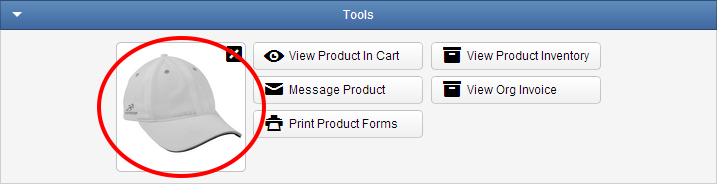
Note: The image will be automatically resized to fit by the system.
To upload an image, click Upload Image. You'll see a pop-up like this one. Click Browse to choose an image from your computer’s hard drive.
Once you have chosen the image click the Upload Image button, then the Close button.
View in preview window
Note: The image will be automatically resized to fit by the system.
Related Articles
Staff with Image and Bio Email Operator - DRAFT
Introduction You may send a staff member image and bio in email messages to accounts and participants, down to a single product. For example: Triggered Product Participant Purchased emails, Triggered Schedule Day Event, Order Participant ...Product Information
Introduction You can display content on multiple Products by using the Product Information feature. This allows you to centrally manage content and assign that content to Products in your catalog that are similar. You may assign multiple Product ...Product Descriptions
Introduction You can write Short and Long Product Descriptions for individual Products. This enables you to intelligently organize your content. For example, you may wish to display a list of features in one description and technical specifications ...Product Statuses
Introduction Products can be given an Internal and a Public Status. Example status values are, “Pending”, “No Go”, “Confirmed”, and “Cancelled”. The values are customizable via Lists. Your Customers can Search your Product Catalog via the Public ...Required Product Types
Introduction There are business scenarios where it makes sense to require a purchase every time, once ever, once within x days of purchase, once within x days of a specific start date, and once between a specific time frame. Whatever the scenario, ...